AI Courseware
Artificial intelligence is transforming how work gets done. From drafting content and analyzing data to writing code and automating workflows, AI is now a core productivity tool across the enterprise.
Our AI training focuses on practical, real-world outcomes. Courses cover Microsoft Copilot across Microsoft 365, AI-assisted coding with tools like ChatGPT, and business-focused AI adoption strategies. For technical teams, we offer Azure AI training to build, integrate, and deploy secure, scalable AI solutions in the cloud.
Give your team the skills to use AI confidently, improve efficiency, and drive measurable results.
Microsoft 365 Copilot Fundamentals (COP-FND-50)
3 hours
This course introduces learners to the fundamentals of Microsoft 365 Copilot, including core AI concepts, how Copilot works, and how to create effective prompts for common workplace tasks. Designed for business users, team members, and professionals preparing to use Copilot, the course provides a practical foundation for understanding how Copilot can support productivity across Microsoft 365.
Learners will also explore how to prepare information, users, and data for Microsoft 365 Copilot, then apply Copilot capabilities in Microsoft 365 apps and Copilot Chat. Through hands-on exercises, participants will practice writing prompts, preparing data, and exploring Copilot experiences across the Microsoft 365 …
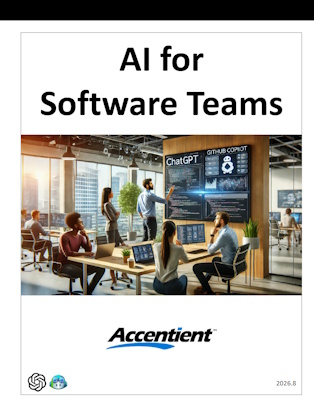
AI for Software Teams (AI4ST)
1 day
This one-day course will help your team put GenAI to work across the entire software delivery lifecycle. Using a combination of lecture, demonstrations, hands-on activities, and team-based exercises, attendees will experience how to apply AI tools for planning, facilitation, coding, and testing, tailored to each accountability, while staying clear-eyed about the cautions each role faces. Working together on a shared case study, teams will put each technique to use the way a real agile team would.
Who should take this class?
Product Owners, product managers, Scrum Masters, agile coaches, developers, testers, and anyone exploring how GenAI fits into agile delivery …
Getting the Most from Your Spreadsheets with GenAI (091178S)
1 day
Artificial intelligence (AI) has rapidly become a phenomenon; a much-talked-about technological sea change. It's also a major disruptive force in the world of business. Generative AI tools can provide value in many ways, one of which is by assisting people who work with data stored in spreadsheets. No matter what spreadsheet software you use, what the data is about, or how it's structured, you can use freely available generative AI tools to enhance your productivity and help you find solutions to problems that can guide crucial business decisions. And, you can do all of this without having to pay for …
Getting the Most from Your Documents with GenAI (091180SE)
4 hours
Business users have found many ways to take advantage of generative artificial intelligence (GenAI) tools such as ChatGPT, Copilot, Gemini™, and Claude. These tools can help you get work done faster and more efficiently. This includes the authoring of content within word processing tools like Microsoft® Word, Google Docs™, and LibreOffice® Writer or desktop publishing tools such as Adobe® InDesign®, Microsoft Publisher®, and QuarkXPress. GenAI tools can help you brainstorm ideas to inspire your writing and can help you create and revise text and image content for a wide range of writing and documentation projects. And all these tasks can …
Using AI Assistants in Business (091185SE)
1 day
Artificial intelligence (AI) has rapidly become a phenomenon, a much-talked-about technological sea change and a major disruptive force in the world of business. Generative AI (genAI) tools such as Microsoft Copilot, ChatGPT, Google Gemini, and Anthropic Claude are now deeply woven into everyday business workflows, and professionals have found numerous ways to use these tools to get their work done faster and more efficiently. This course moves participants from AI curious to AI confident. You will gain a practical understanding of how modern AI assistants work, how to navigate and configure your organization's AI tools, and how to craft high-quality …
AIBIZ (Exam AIZ-210) (CNX0017SE)
1 day
Artificial intelligence (AI) is not just another technology or process for the business to consider—it is a truly disruptive force, one that delivers an entirely new level of results across business sectors. Even organizations that resist adopting AI will feel its impact. If the organization wants to thrive and survive in this transforming business landscape, it will need to harness the power of AI.
This course is designed to help business professionals conquer and move beyond the basics of AI to apply AI concepts for the benefit of the business. It will give you the essential knowledge of AI you'll …
Agentic AI Builder (Exam AGB-110): Setting Up a Functional AI Agent (CNX0026SE)
3 days
Your organization has assessed its need and ability to implement one or more AI agents with minimal risk. Now it's just a matter of building those agents—that's where you come in. In this course, you'll translate business requirements into a functional AI agent that can automate complex tasks and processes that would otherwise require significant human effort. Ultimately, this can lead to improved user productivity, a reduction in operational costs, and enhanced employee and customer satisfaction.
This is the second course in a series and is meant to build upon the foundation of the first course by giving technical practitioners …
AgenticAIBIZ (Exam AGZ-110): Foundations of Agentic AI (CNX0025SE)
1 day
Artificial intelligence (AI) agents are rapidly becoming a core driver of business automation. Harnessing the power of generative AI and large language models (LLMs) through agentic frameworks introduces powerful new ways to streamline operations, boost productivity, and free users from tedious and time-wasting tasks. By designing and deploying agents responsibly and effectively, organizations can accelerate adoption, reduce risks, and gain a competitive advantage in the impending "agentic shift."
This course is an introduction to AI agents from a strategic business perspective. It will not teach you how to build agents—instead, it will teach you how to determine whether, where, and …
Getting Started with AI Development (DEVAI101)
3 hours
Getting Started with AI Development is for people who want to learn how to use AI to help build apps and websites, even if they do not have a programming background. The course introduces students to AI coding assistant tools such as Claude Code, Codex, and GitHub Copilot, while also showing how the same approach can be adapted to other agentic AI development tools.
Students will learn how to set up and work with AI coding assistants, ask for help effectively, review what the tools produce, and improve results through follow-up prompts. By the end of the course, students will …
Planning, Building, and Testing with AI (DEVAI103)
4 hours
Planning, Building, and Testing with AI is for people who want to use AI tools to build apps and websites in a more organized, reliable way. The course shows students how to turn an idea or set of requirements into a clear plan, then use tools such as Claude Code, ChatGPT, Codex, and GitHub Copilot to help build from that plan.
Students will learn how to guide AI with specifications, break work into manageable steps, check whether the output matches the original goals, and improve the project through testing, review, and refinement. By the end of the course, students will …
Agentic Coding Workflows (DEVAI104)
4 hours
Agentic Coding Workflows is for anyone who want to use AI coding assistants to manage larger development tasks from start to finish. The course shows students how to work with tools such as Claude Code, Codex, and GitHub Copilot in more structured workflows that include planning, review, validation, documentation, and release readiness.
Students will learn how to guide AI through complete feature-building loops, review the results with clear roles and expectations, and prepare work for handoff or release. By the end of the course, students will understand how to use agentic AI coding tools more effectively across multi-step projects, while …
AI as a Coding Partner (DEVAI102)
3 hours
AI as a Coding Partner is for people who want to move beyond simple AI prompts and learn how to work with AI tools more effectively while building apps and websites. The course shows students how to use chat-based tools and agentic coding assistants such as Claude Code, ChatGPT, Codex, and GitHub Copilot as practical partners for planning, creating, reviewing, and improving code.
Students will learn how to give AI better context, ask more precise questions, guide an AI assistant through small development tasks, and use AI to review and debug existing work. By the end of the course, students …
Copilot for Word and PowerPoint (COP-WPP-50)
3 hours
This course introduces Microsoft Copilot and shows how artificial intelligence can support everyday work in Microsoft Word and PowerPoint. Learners will explore the fundamentals of AI, discover how Copilot works across Microsoft 365, and practice writing effective prompts to generate useful, relevant results.
Through practical exercises, learners will use Copilot in Word to work with existing text, access the Copilot sidecar, use temporary chat, and improve document workflows. They will also use Copilot in PowerPoint to create presentations and slides, summarize content, and apply branding to a presentation deck.

AI for IT Professionals (TOS-AIIT)
5 days
This comprehensive 5-day course is designed to transform participants into AI-empowered practitioners capable of leveraging cutting-edge AI tools to automate workflows, enhance productivity, and solve complex technical challenges. It establishes the core skill of prompt engineering, encompasses n8n workflow automation, introduces Claude Code for AI-assisted development, and gives foundational information on BMAD (Breakthrough Method for Agile AI-Driven Development), a structured spec-driven framework. It culminates in an integration workshop where teams architect and build a real-world solution. By the end of the course, participants will be able to design, build, and govern AI-enhanced IT systems.
Working with APIs (API101)
4 hours
Working with APIs is for anyone who want to learn how apps and websites connect to outside services, data sources, and AI platforms through code. The course introduces APIs in practical, beginner-friendly terms, showing students how requests and responses work, how to read API documentation, and how to understand common requirements such as authentication, rate limits, and response formats.
Students will learn how to make API calls, process the data that comes back, handle common errors, and display API results in a simple user interface. By the end of the course, students will also know how to connect an app …
AI-Assisted Coding: Boosting Developer Productivity and Efficiency (AIAC101)
3 days
AI-Assisted Coding: Boosting Developer Productivity and Efficiency is a hands-on course for developers and technical teams who want to integrate AI tools like ChatGPT into their everyday coding workflows. Participants learn how to use large language models to write, debug, optimize, and explain code more efficiently while understanding the capabilities, limitations, and responsible use of AI in software development.
Through practical, guided exercises, learners apply AI-assisted techniques across HTML, CSS, JavaScript, SQL, XML, and Python, focusing on real-world tasks such as refactoring, data handling, automation, and problem solving. This course is ideal for organizations and individuals seeking to improve developer …
Prompt Engineering for AI Text Generation (095034SE)
4 hours
Artificial intelligence (AI) tools can be used in a business setting to generate text that is unique, thorough, and highly effective at communication. In response to your written prompt describing what you require, these tools can quickly summarize information, generate ideas, solve problems, participate in conversations, and engage in a wide range of other purposes, enabling you to save time and money designing and developing text-based content. In order to achieve these goals, you must learn how to tell AI tools what you want in the right ways through prompt engineering.

AI Prompting-Copilot (TOS-PRCO)
1 day
This Copilot training course delivers a technically grounded introduction to GPT-based AI systems designed for enterprise and professional environments, with emphasis on model architecture concepts, generative AI capabilities, and real-world workflow integration. Participants explore how large language models process and generate text, examine the functional scope and constraints of Copilot Chat, and apply structured prompt-engineering frameworks to optimize output quality, relevance, and consistency. The curriculum extends beyond basic usage to address AI-assisted business communication, knowledge management, and customer service models, highlighting human-in-the-loop collaboration, quality control mechanisms, and decision-support use cases. A dedicated focus on AI ethics and bias mitigation equips …
Prompt Engineering for AI Image Generation (095035SE)
4 hours
Artificial intelligence (AI) tools can be used in a business setting to create images that are unique, high quality, and cost effective. In response to your written prompt describing what you require in an image, these tools can quickly produce art, illustrations, diagrams, sketches, graphical concepts, and a wide range of other images, enabling you to save time and money designing and developing new graphic concepts, custom images, and product designs.

Foundations of AI for Creatives (GENAI200)
1 day
Foundations of AI for Creatives is designed for artists, designers, writers, and other creative professionals seeking to understand and apply artificial intelligence in their work. This practical, project-based course introduces the core concepts of AI and generative tools, emphasizing real-world applications in creative workflows. Participants will explore a range of technologies—including text, image, audio, and video generation—while gaining hands-on experience with prompt engineering, content refinement, and multimodal storytelling. The course also examines ethical considerations, accessibility, and the evolving relationship between human creativity and machine intelligence, empowering creatives to navigate this new landscape with clarity, confidence, and intention.
Getting the Most from Your Presentations with GenAI (091179SE)
4 hours
Generative Artificial Intelligence (GenAI) tools such as ChatGPT, Copilot, and Gemini™ have taken the world by storm. Business users have found numerous creative ways to use these tools to get their work done faster and more efficiently. This includes the development of business presentations. Whether you use Microsoft® PowerPoint®, Google Slides™, LibreOffice® Impress, or another application to produce your slides, GenAI tools can help you generate text and image content for your slides, as well as presenter notes and handouts. This is even possible using free online AI tools that don't require additional costs beyond your current investment in your …
AI in Software Testing (AIST)
2 days
Master the future of quality assurance with AI-powered testing.
This hands-on course introduces software testers, QA professionals, and developers to the practical use of artificial intelligence in modern testing workflows. You’ll learn how to harness large language models (LLMs), such as ChatGPT and GitHub Copilot, to generate, analyze, and maintain test cases with greater speed and precision.
Through a progressive series of labs, you’ll explore real-world techniques for AI-assisted test creation, legacy code analysis, code coverage improvement, exploratory testing, synthetic data generation, and much more. You’ll also tackle the unique challenges of testing AI systems themselves, manage flaky tests, and …
Microsoft 365 Copilot Super User (55485CK)
2 days
This course is designed for business professionals, knowledge workers, managers, and support staff who have little to no experience with Microsoft Copilot and want a clear, practical introduction to using AI within Microsoft 365. It assumes no prior background with Copilot and begins with foundational concepts, including what AI is, how Microsoft Copilot works, and how to write effective prompts. Participants are guided through preparing their information and environment so they can use Copilot responsibly and effectively within their organization.
By the end of the course, students will understand how to use Copilot confidently across Word, PowerPoint, Excel, OneNote, Outlook, …
GenAIBIZ (Exam GAZ-210): Making Generative AI Work for Your Business (CNX0023SE)
1 day
Generative artificial intelligence (AI) is a major milestone in business automation. Despite its recency, it has already had a significant impact on our lives. But, the rapid pace at which generative AI is growing can be overwhelming. And, there are so many facets to this field that it can be difficult to know how to use it effectively to improve the business.
This course is designed to demystify generative AI for business professionals, as well as to trace its power to actionable, real-world business goals. It will give you the essential knowledge of generative AI you'll need to elevate the …